Mastering Autumn Event Promotion with a Fully Editable Flyer Package
As the leaves begin to turn and the air grows crisp, businesses, community organizers, and creative professionals face a recurring challenge: how to effectively capture attention during the busy autumn season. Whether you are promoting a harvest festival, a Halloween party, a seasonal sale, or a cozy café launch, the competition for eyes and ears is fierce. In this landscape, generic templates often fall short because they lack the flexibility to match your specific brand voice or event details. This is where a comprehensive Autumn Flyer package becomes an indispensable tool. It is not merely a static image; it is a complete design ecosystem designed to streamline your workflow, ensure print-ready quality, and maximize your reach across both physical and digital channels.
The primary goal for anyone planning an autumn event is clarity and conversion. You need potential attendees to immediately understand what the event is, when it is happening, and why they should care. However, achieving this often requires balancing high-quality aesthetics with practical constraints like budget, time, and technical skill. Many organizers struggle with finding resources that offer professional-grade resolution without locking them into rigid designs that cannot be tweaked. A robust solution addresses these pain points by providing a versatile kit that includes not just the final flyer, but the building blocks to create it.
Bridging the Gap Between Print and Digital Marketing
One of the most significant hurdles in modern event promotion is maintaining consistency across different media formats. Traditionally, designers might create a high-resolution file for printing and then struggle to resize or reformat it for social media, often resulting in pixelated images or awkward cropping. A well-structured Autumn Flyer package eliminates this friction by including distinct files optimized for every medium.
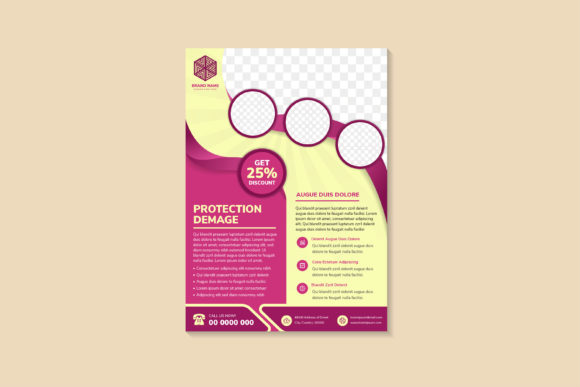
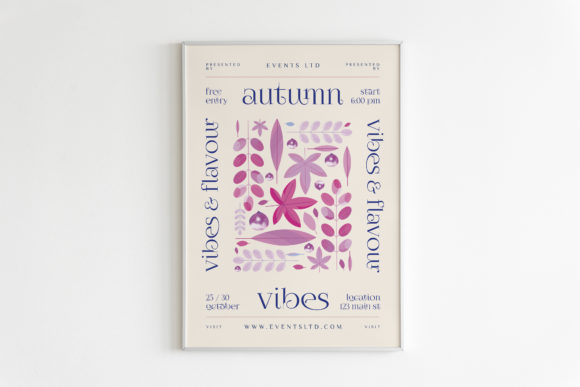
For physical distribution, the package provides a premade flyer in A4 format with 3mm of bleed. This technical detail is crucial for professional printing. The bleed ensures that when the paper is trimmed to size, there are no unsightly white edges, giving your promotional material a polished, commercial look. Furthermore, these files are set to CMYK at 300 PPI, the industry standard for offset and digital printing, ensuring that those rich autumnal oranges, deep reds, and warm browns appear exactly as intended on paper.
Simultaneously, the same campaign needs to thrive online. The inclusion of a web version sized at 1080x1920 pixels (RGB color mode) means you are ready to dominate stories on Instagram and Facebook immediately. This vertical format is native to mobile devices, where the majority of users will encounter your event. By having both versions ready out of the box, you save hours of manual resizing and color profile conversion, allowing you to focus on the strategy of your rollout rather than the mechanics of file preparation.
The Power of Full Editability and Customization
While premade designs offer speed, the true value of this package lies in its editability. No two autumn events are identical. A wine tasting in Napa Valley requires a different tone than a pumpkin patch fundraiser in a local park. Relying on a flat JPEG or a non-editable PDF restricts your ability to tailor the message.
This package includes three PSD (Photoshop Document) files, which serve as the heart of the customization process. Because the layers are organized and accessible, you can easily swap out text, change dates, update pricing, or even alter the color scheme to better match your brand guidelines. You are not stuck with the default font or layout; you have the freedom to adapt the design while retaining the professional composition created by experienced designers.
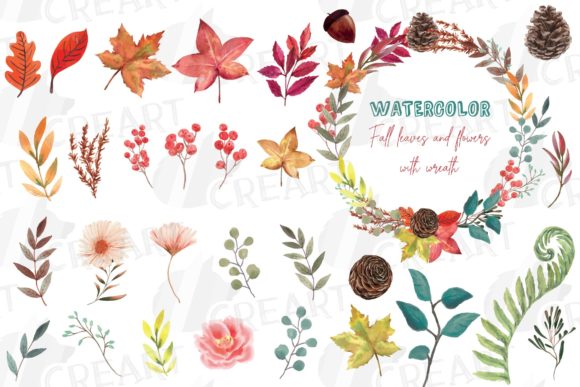
Beyond the main flyer, the inclusion of an Illustration PSD opens up a world of creative possibilities. This file allows you to isolate specific elements—such as falling leaves, pumpkins, or cozy sweaters—and use them to create your own custom clipart. If you need a unique icon for your website or a specific graphic for an email newsletter, you can extract these elements without losing quality. This modularity empowers users to extend the visual identity of their event beyond the flyer itself, creating a cohesive brand experience across all touchpoints.
Practical Applications for Diverse Users
Different users will approach the Autumn Flyer package with varying objectives, yet the flexibility of the tools supports a wide range of scenarios:
- Small Business Owners: For a boutique or coffee shop, time is money. You can download the package, update the sale dates and discount percentages in the PSD, send the CMYK version to your local printer, and post the RGB story version to Instagram all within an hour. The high-quality design elevates your brand perception without the cost of hiring a graphic designer.
- Event Organizers: If you are managing a large community festival, you likely need to distribute information through multiple channels. You can use the single PNG elements and SVG vector elements included in the zip to create signage, tickets, and social media banners that all share the same visual language. The scalability of SVGs ensures your logos and icons remain sharp on everything from business cards to large banners.
- Freelance Designers: For creatives looking to speed up their workflow, this package serves as an excellent foundation. Instead of starting from scratch, you can use the provided illustrations and layout structures as a base, customizing them heavily for clients. The inclusion of separate layers and high-definition assets means you can deliver premium results faster.
Maximizing Value Through Strategic Implementation
To get the most out of this resource, it is essential to plan your rollout strategically. Start by reviewing the PSD Illustration file to identify key visual motifs that resonate with your specific event theme. Use these elements to create a secondary wave of marketing materials, such as email headers or countdown graphics for social media.
When preparing for print, always double-check your text changes against the 3mm bleed area to ensure no critical information is too close to the edge. For digital campaigns, consider animating the single PNG elements. Since you have the isolated graphics, you can import them into motion design software to create engaging, moving stories that capture more attention than static images.
The versatility of having single SVG vector elements cannot be overstated. Unlike raster images, vectors can be scaled infinitely without loss of quality. This is particularly useful if you decide to expand your merchandise, such as printing t-shirts or tote bags for the event. You can pull these vectors directly from the package, confident that they will render perfectly regardless of the output size.
Conclusion: A Solution for Seamless Seasonal Promotion
In the fast-paced world of event promotion, having the right tools can make the difference between a forgotten gathering and a sold-out success. The Autumn Flyer package offers more than just a pretty picture; it provides a comprehensive, solution-oriented toolkit designed to meet the diverse needs of modern marketers. By combining print-ready precision with digital optimization and deep editability, it removes the technical barriers that often hinder creative execution.
Whether you are a seasoned designer looking to optimize your workflow or a business owner handling your own marketing, this package empowers you to produce high-quality, professional results. The ability to customize every element, from the main layout to individual clipart pieces, ensures that your final output feels unique and tailored to your audience. As you prepare for the autumn season, leveraging such a robust resource allows you to focus on what truly matters: creating memorable experiences for your community.